Why Diagnostics Matter
A laptop showing symptoms — random shutdowns, slowness, boot failures, strange noises — can have multiple possible causes. Without proper testing, it's easy to replace the wrong component, address a symptom without finding the cause, or miss a developing fault that will resurface later.
We run diagnostics as a starting point before any repair recommendation. It's the most straightforward way to give you accurate information about what's happening and what repair options actually make sense.
What We Test
The scope of the diagnostic depends on the symptoms. For a laptop that's running slowly, we'll focus on storage drive health, RAM performance, and CPU/thermal behaviour. For one that won't boot, we check the power circuit, boot device, and storage integrity. For intermittent faults, we try to reproduce the condition and rule out possibilities systematically.
Testing areas include:
- Storage drive health (SMART data, read/write performance, sector errors)
- RAM testing under load and at the memory address level
- CPU and GPU temperature monitoring under sustained load
- Power delivery and battery circuit checks
- Display output testing (built-in vs. external)
- Boot process analysis
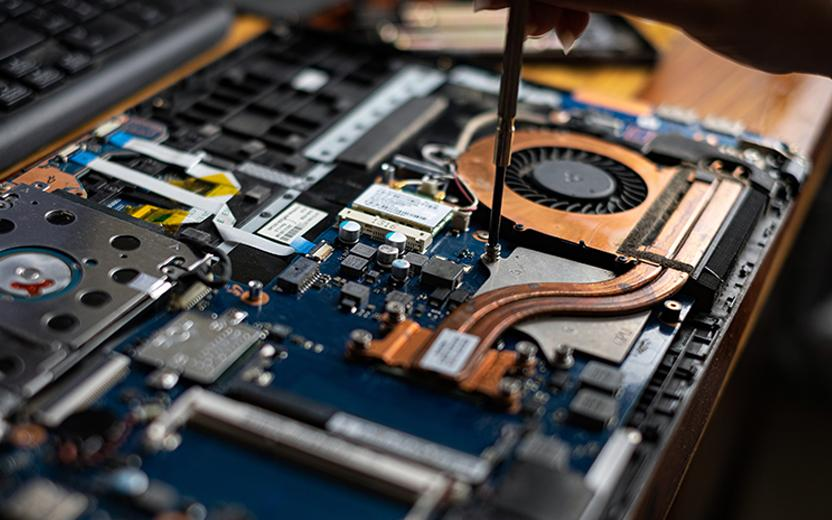
- Physical inspection of ports, connectors, and visible board components
What Happens After the Diagnostic
We'll explain what we found in plain terms — what the issue is, what likely caused it, and what repair options are available. If a repair is straightforward and cost-effective, we'll say so. If the repair is complex or the cost doesn't make sense relative to the device's value, we'll tell you that too.
You won't be pressured into a repair you didn't ask for. The diagnostic exists to give you information, not to generate additional work.
When to Book a Diagnostic
A diagnostic is a good starting point if your laptop is experiencing problems that aren't easily explained — particularly if it's doing something unusual, if you've had work done elsewhere and the problem persists, or if you're trying to determine whether repair makes sense before committing.